D-lighter Tutor

Web Application
Project Overview
D-lighter Tutor is a product that aims to streamline the process of finding the right tutor in Nigeria who teaches subjects or skills virtually to students who are in the diaspora. Their product had to offer an excellent user experience to get a competitive advantage. The start-up needed a Software Development company to design and develop a web application where their clients can be offered services like; personalized matching, sample classes, secure financial transactions, and a user-friendly interface.
My Contributions
I led the design of the start-up educational website, forms, and dashboard. I collaborated closely with developers, an illustrator and a product manager, to ensure our designs were both innovative and technically feasible. My expertise in user research and usability testing allowed me to identify pain points and implement user-centric solutions. Additionally, I mentored a junior designer, fostering a collaborative and growth-oriented environment. This experience has equipped me with the skills to handle complex design challenges and deliver intuitive, elegant solutions.
View Live Website
User Research
Desk Research, User Survey, User Interview & Competitor Analysis
Tools: Figjam, Google Forms, Google Docs,
and Google Meet
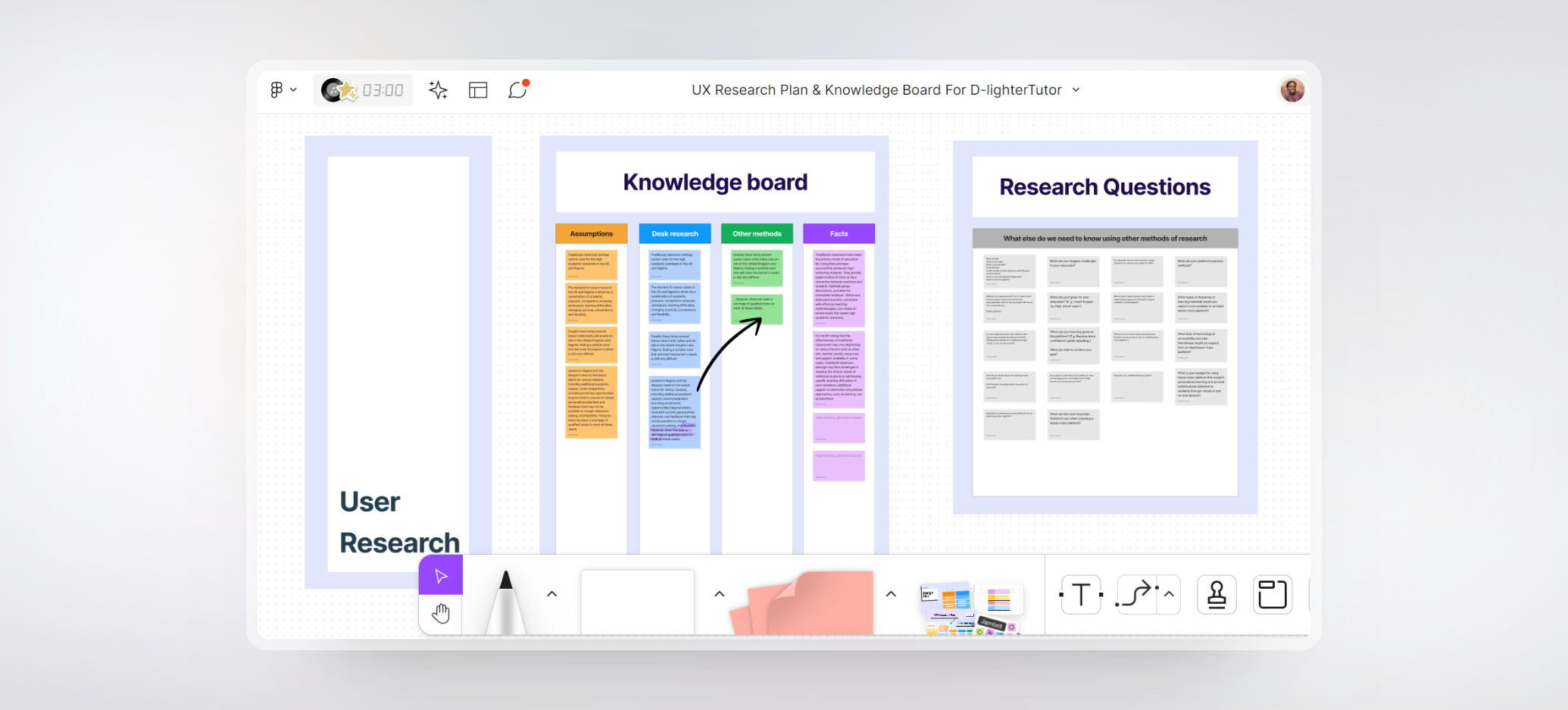
I started off my research by making some assumptions as to why Nigerian parents or students in the western world still opt to employ home tutors despite the quality of education in their various countries. After that, I did a desk research and validated some of my assumptions. To design a user-centered product, I needed to find out what D-lighter Tutor potential users expects from a platform like theirs. From my desk research, I was able to generate some open-ended and closed-ended questions that I sent to users and then analyzed.

During the competitor Analysis, I looked closely at Tutorful, Tuteria, Superprof and observed that some of these platforms does not have a pricing structures. Tutors are given the liberty to upload prices that was good for them leading to inflated costs for students and parents. This can hinder accessibility to tutoring services for those with limited financial resources. Also, some of the platforms didn't prioritize the security and privacy of users' personal information, including students, parents, and tutors which has created loopholes in data protection.

Some of the tutors of the aforementioned platforms also applied to be a tutor on D-lighter Tutor and during the interview, I realized that some of these platforms may not have a stringent vetting process or lack mechanisms to verify tutors' qualifications, expertise, or teaching experience. This can lead to inconsistencies in the quality of tutoring services provided.
Research Analysis
Affinity Mapping, Brainstorming
and Idea prioritization matrix.
Tools: Figjam
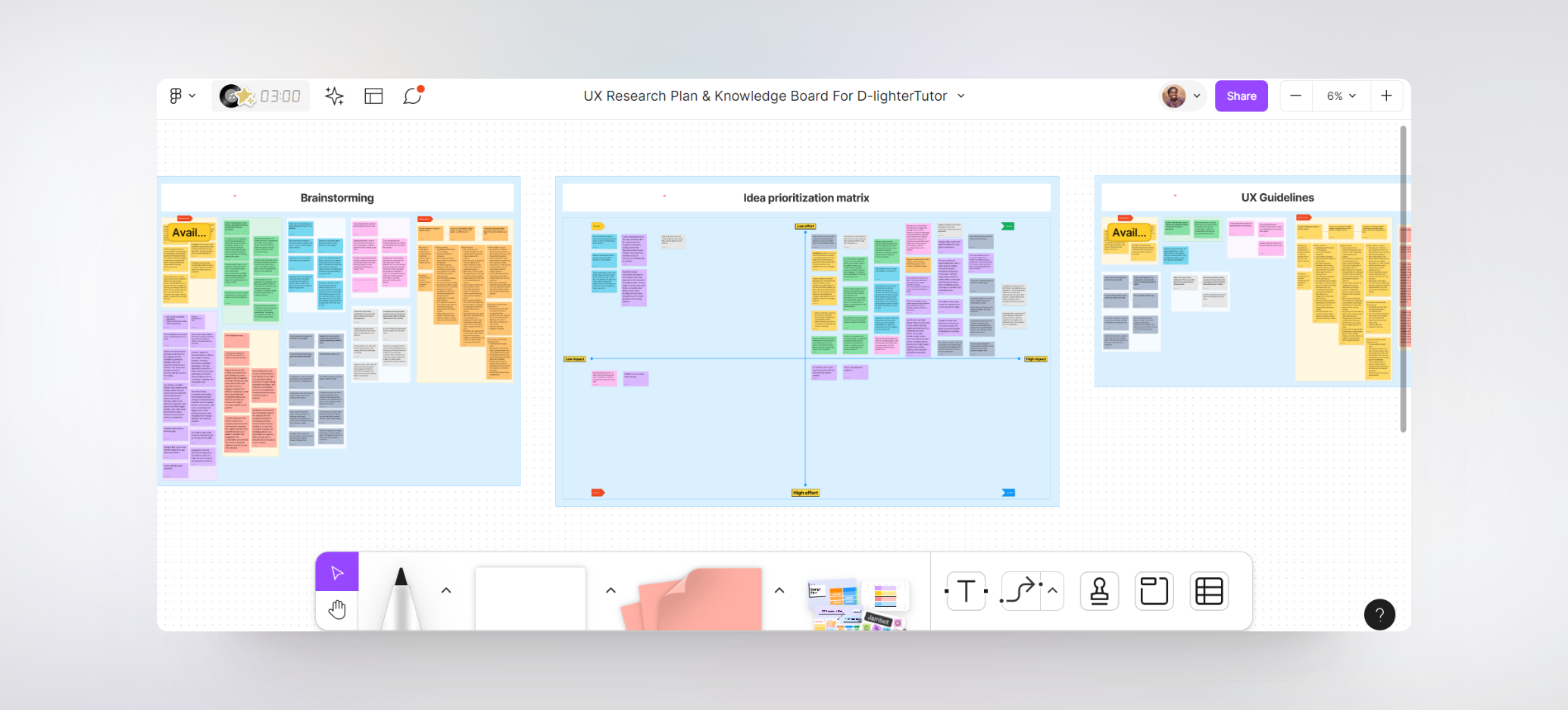
I stopped accepting responses after 20 people responded. I then used an affinity diagram to sort ideas into different groups or categories based on their relationships to one another. At the end of my affinity mapping, I had 5 categories which include: Goals, Pain points, Suggestions, needs, and Emphasis.

As a team, we came together to brainstorm on the responses and came up with ideas on how we can meet our users' needs and give them an excellent user experience. Afterwards, we prioritized our ideas using the Idea prioritization matrix and then drafted our UX guidelines.
Site Mapping
UI Flow & User Flow
Tools: Figjam
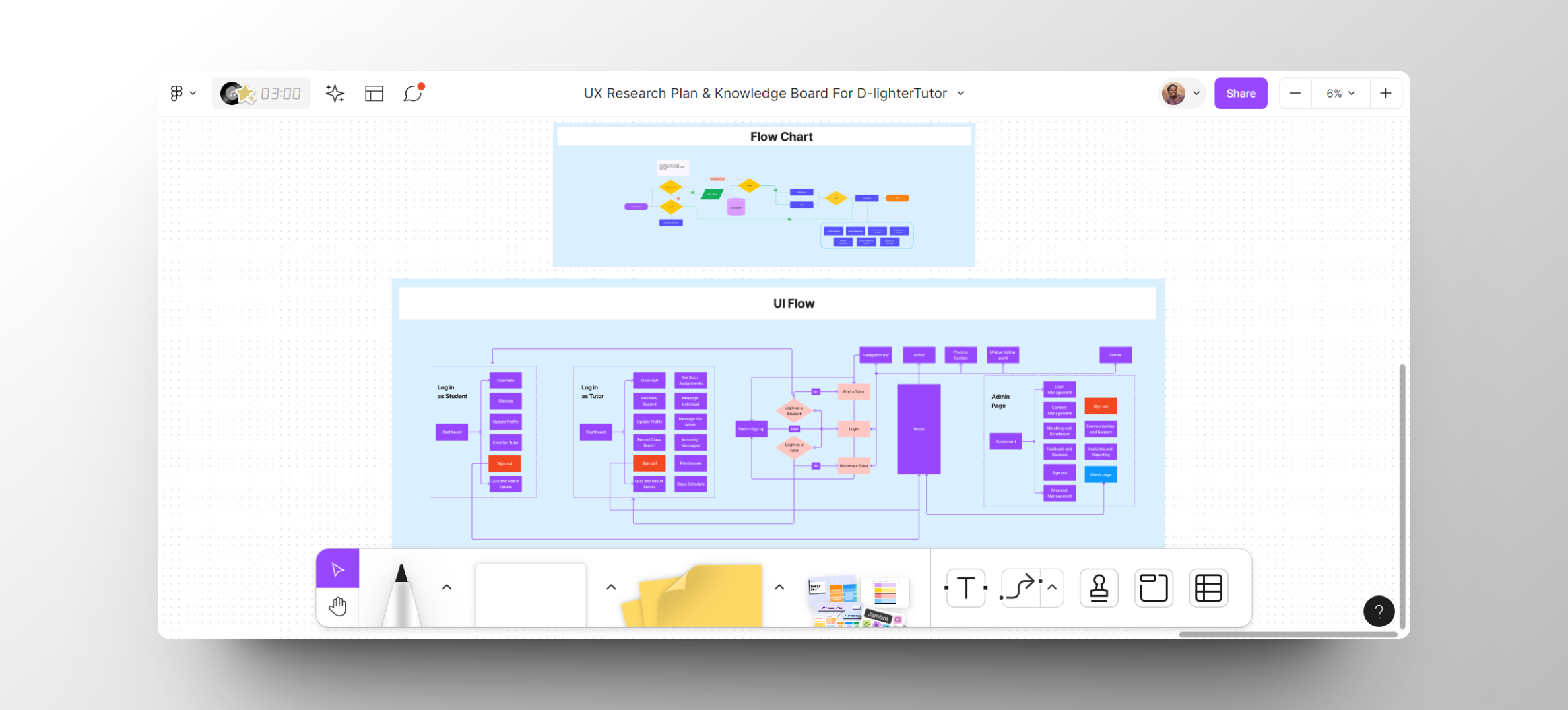
The diagram below includes all the various interactions users should have on the web application. Based on the feedback we got from the research, we determined how we want users to navigate your web application, taking into account the users’ needs. The User Flow and UI Flow was drawn by the other team members while I worked on the design system.
The primary goal of the design system is to ensure that all the digital products are consistent, scalable, and accessible. Basically, to make sure we have a shared language and a common set of design principles. I designed a grid system, cards, pagination, dropdown, Tooltip, Forms, Notification, Comments, tags, radio buttons, toggle, slider, modal windows, file upload, spacers, color pallet, Typography styles, Icons, fields, buttons, calendar, and navigations.

I also created tokens for colors, typography, shadow, border radius, border width, border color, text case using Tokens studio for Figma Plugin.
Design System
Style Guide, Brand Assets,
Components
Tools: Figma, Tokens studio for Figma Plugin

Wireframe
Tools: Figjam
Design
High-fidelity
Tools: Figma
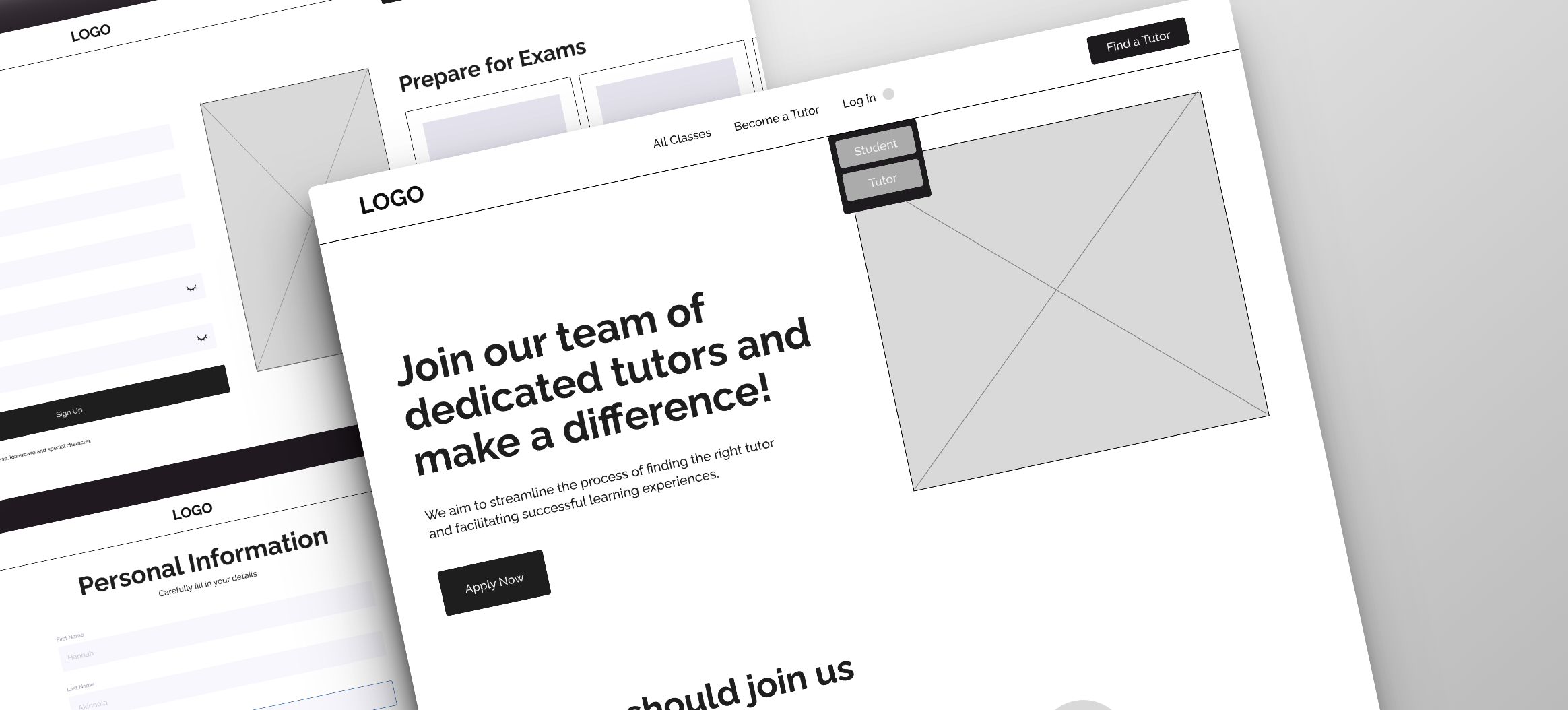
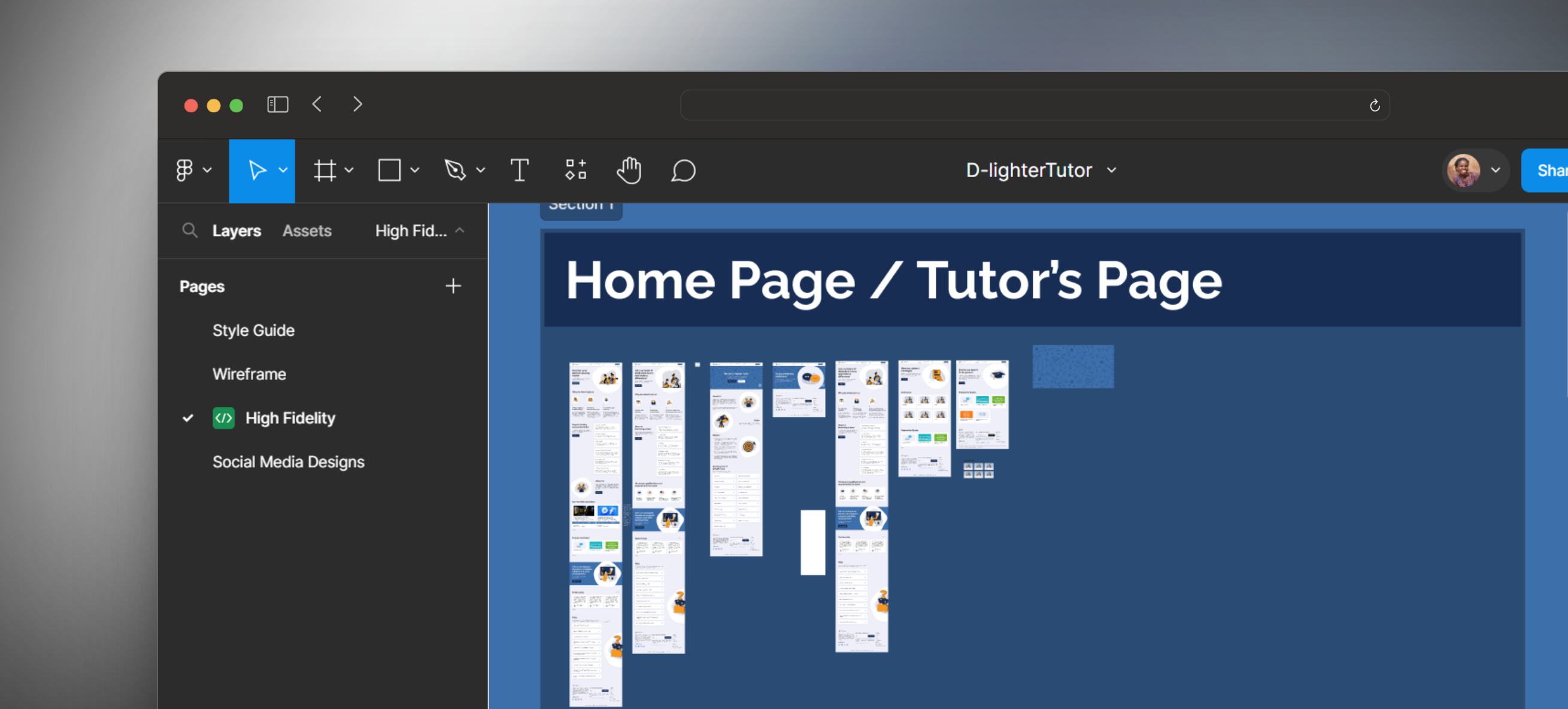
Initially, D-lighter Tutor planned to launch the dashboard with their website but later, they decided to launch their website first with forms. Forms were designed for both students and tutors. The mobile view and Prototype was also done. Later on, the developers and I proceeded to the designing and development of the tutor's, student, moderator and admin's dashboard.
View Figma Prototype

Conclusion

Working on this project was very much a challenging task, and no doubt that I learnt a lot along the way - how to create Figma tokens, standard practices within the organization's industry, more on establishing a design system, as well as working with a team of developers and a designer that is still new to UI/UX while making sure I utilize their help at every stage of the design process. Ultimately, designing the dashboards alone has been a major achievement to me.

I realized that I still have a lot to learn in product design as the practices in the field keeps evolving and that Designers and Developers might not necessarily become enemies if developers are involved in the design process. Though we disagreed on some ideas but we always reach an agreement.

I still have a lot to learn to wrap up this project; especially in concluding the designs of the moderator and admin's dashboards. I am eager, curious and willing to explore more in the area of building a web application.